 ClaudeRemote
Step away from your desk. Keep your AI sessions going from your phone.
Your Claude, ChatGPT and other AI sessions open in Chrome on your computer, right on your phone: follow progress, reply and switch sessions. No app to install and nothing to sign in to on the phone.
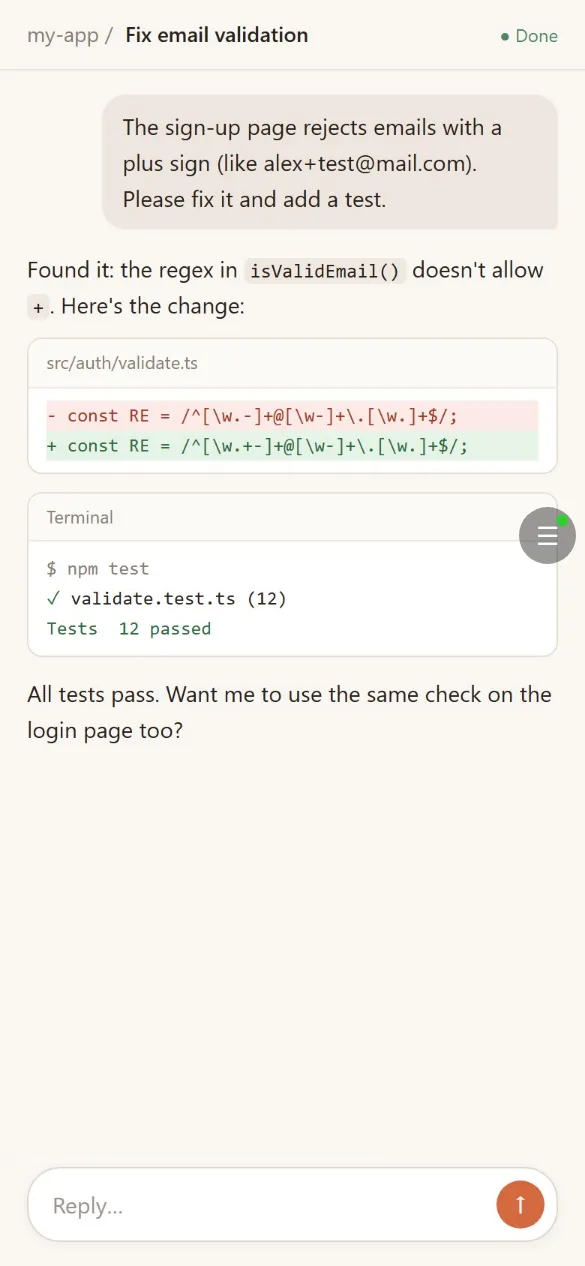
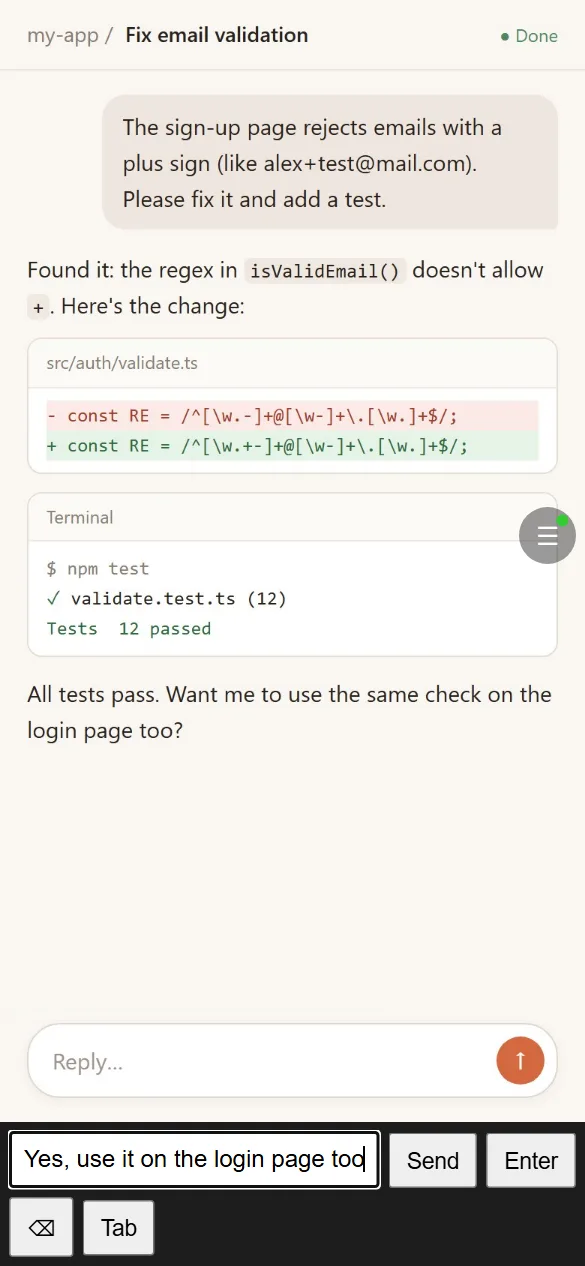
Reply with your phone keyboard
When the AI is waiting for you, send the next prompt from your phone and the session on your computer carries on. See what it changed and whether the tests pass at a glance.
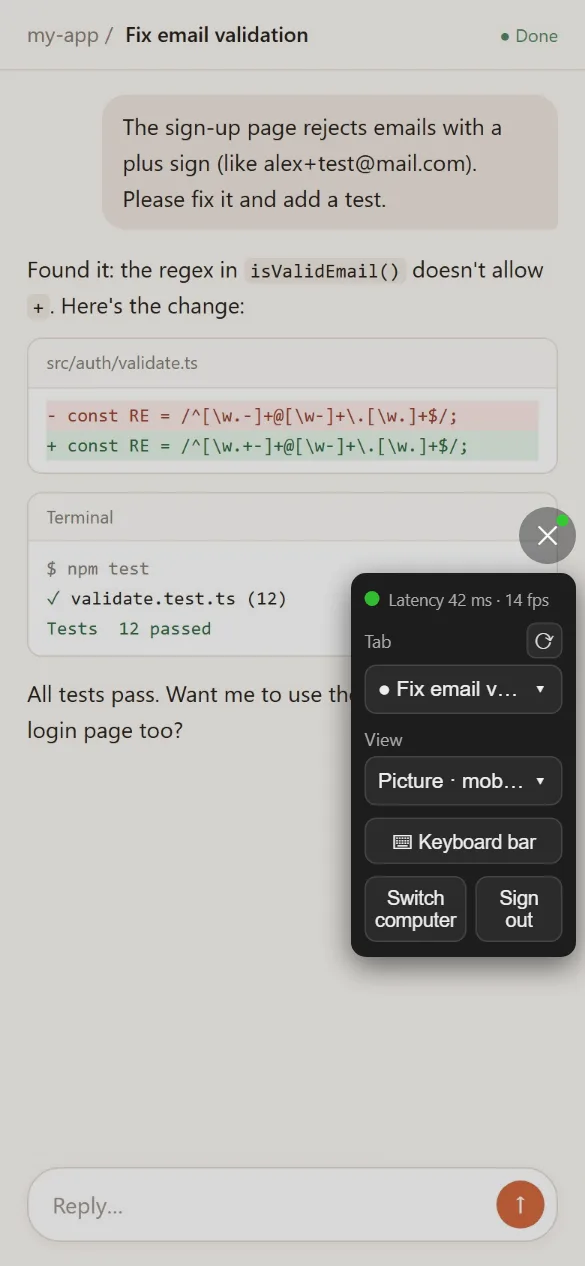
Switch sessions anytime
Several AI sessions open on your computer? Tap the round button on the right of your phone screen to open the controls and pick the one you want. You can change the view there too.
Why ClaudeRemote
Get started in three steps
Install the ClaudeRemote extension in Chrome on your computer and sign in with your account or with Google.
In the extension, click "Pair a phone" and scan the QR code with your phone camera to sign in and pair in one step.
Your AI session shows up on your phone: follow it, reply and switch sessions right there.
Privacy and security
See the privacy policy for details.
Requirements
Your computer must be on with Chrome running. On the phone, any modern browser (Chrome, Safari and others) works; no app to install.